

Make a character
that's actually yours.
Design a one-of-a-kind big-head character, make it talk in your own voice, go live as it, and drop it into your videos. No app to install. No account to make. Just create.

Design it
Mix and match heads, eyes, mouths, outfits, and backgrounds until it looks exactly how you want.
Make it talk
Record your voice and the mouth auto-syncs. Add expressions, then export a clean HD video.
Go live
Use your character as a live avatar in OBS — real-time lip sync and expressions from your mic.
Clip & post
Drop your character onto any video as a commentator and export ready-to-post clips for socials.
Free to design & export · no download, no sign-up · just create.
See what these characters can do.
Watch the animated pilot — every character was designed and voiced with the exact same free tools you just saw. Then go make your own.
Watch the show.
Follow along.
Full episodes drop on YouTube. Quick shorts and clips go up on TikTok and Facebook. Come hang out in the Discord.
Everything you need to create.
// Four free tools, one character — build once and carry it everywhere.
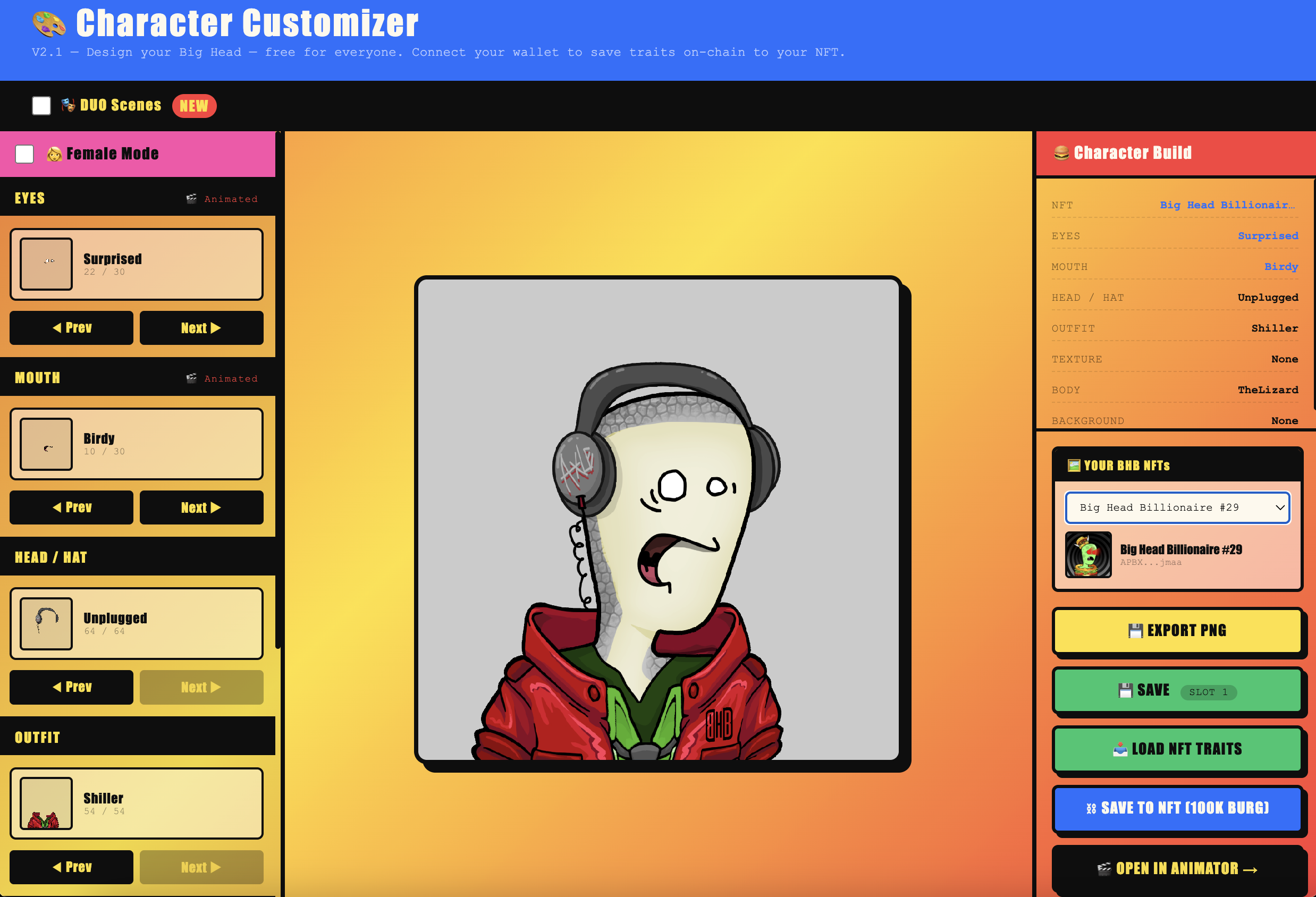
🎨 Customizer
Swap every trait — head, eyes, mouth, outfit, texture, and background — to design a character that's unmistakably yours. Try a two-character scene too.
Build your character →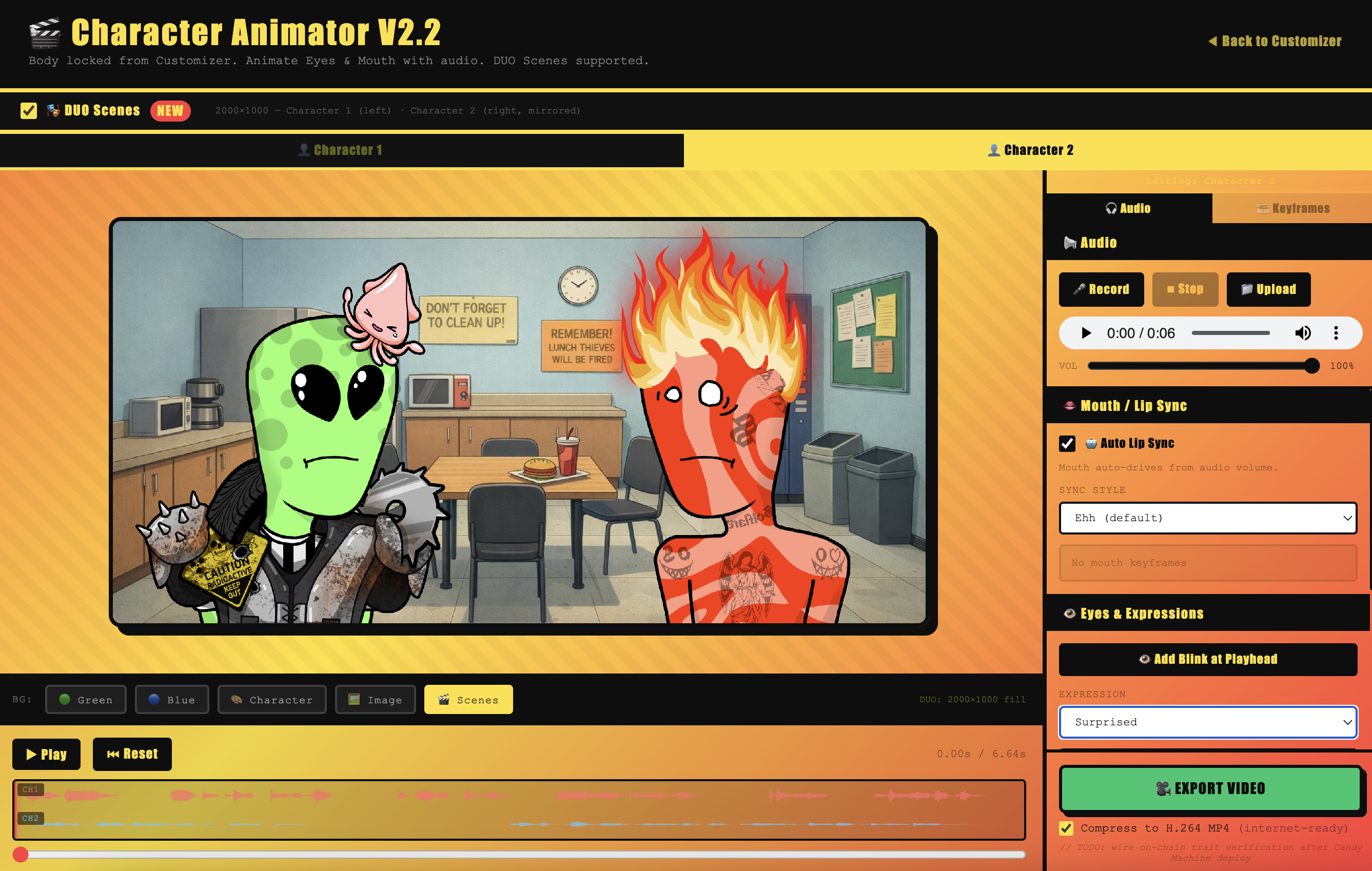
🎬 Animator
Record audio and watch the mouth auto lip-sync. Layer expressions, run scenes with two characters, and export a polished MP4 video in minutes.
Animate it →
📺 Live Avatar
Become your character on stream. Add it to OBS as a browser source for real-time lip sync, hotkey expressions, and a green-screen background.
Go live as it →
✂️ Clipper
Drop in any video, trim it, and overlay your character as a synced commentator. Pick a TikTok, Reels, Shorts, or X preset and export — all on your device.
Clip a video →Your character
is waiting. 🍔
Spend five minutes in the Customizer and you'll have a character you can animate, stream, and post anywhere.
Questions, answered.
// Good to know before you start.
Is it really free?
Do I need an account or a sign-up?
What can I make with it?
Does my video get uploaded anywhere?
What do I need to run it?
Built a character?
Now hit the arcade.
Jump straight into the BHB Arcade — three original games, free to play, nothing to sign up for.
 Original · Arcade
Burger Drop
Stack the tower, catch every patty, and don't let the combo break. Easy to start, brutal to master.
▶ Play now → Breakout · 25 Levels
Burger Breaker
Classic brick-breaking with a BHB twist — 25 hand-built levels plus an endless mode for high-score chasers.
▶ Play now → Capitalist · Adventure
Burg Tycoon
Flip one burger stand into a fast-food empire. Buy, upgrade, automate, and watch the numbers go up.
▶ Play now →// Play instantly in your browser. No sign-in, no download.